3. Home
3.1. Navigating the Home
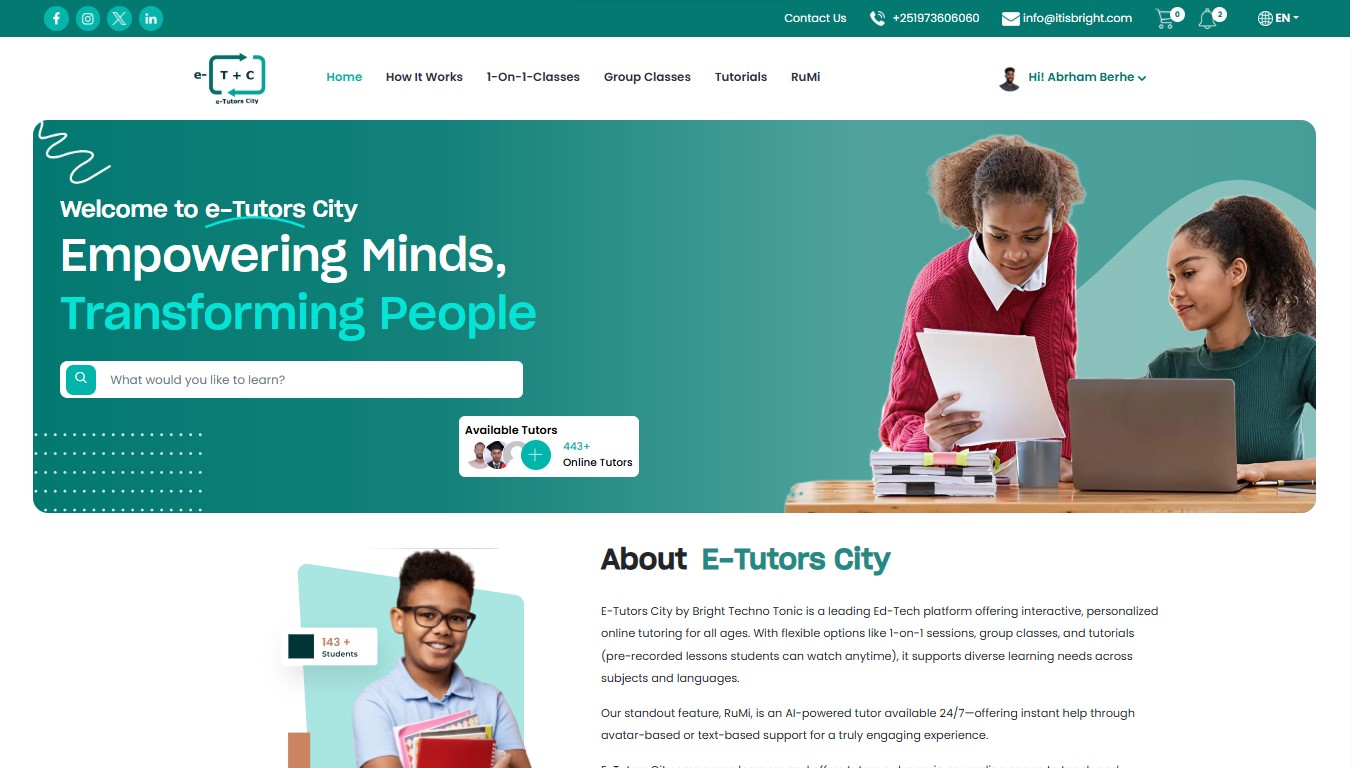
Once you have successfully signed up and logged in, the Home Dashboard becomes your central hub for discovering courses, joining live classes, interacting with tutors, and managing your complete learning experience on E-Tutors City.
The dashboard is designed to provide quick access to learning tools, AI assistance, class schedules, tutorials, and personalized educational resources.
3.1.1 Exploring Grade Levels
E-Tutors City organizes educational content based on academic grade levels to ensure students receive age-appropriate lessons, tutorials, and learning materials.
From the homepage, students can quickly filter and explore content according to their academic category.
Available Grade Categories
-
Grades 1–6
- Primary education fundamentals
- Basic mathematics
- Reading and writing skills
- Introductory science concepts
-
Grades 7–8
- Junior secondary transition subjects
- Intermediate mathematics and sciences
- Skill development courses
-
Grades 9–10
- Secondary education curriculum
- National examination preparation
- Advanced subject tutorials
-
Grades 11–12
- Higher secondary education
- University entrance preparation
- Advanced academic support classes
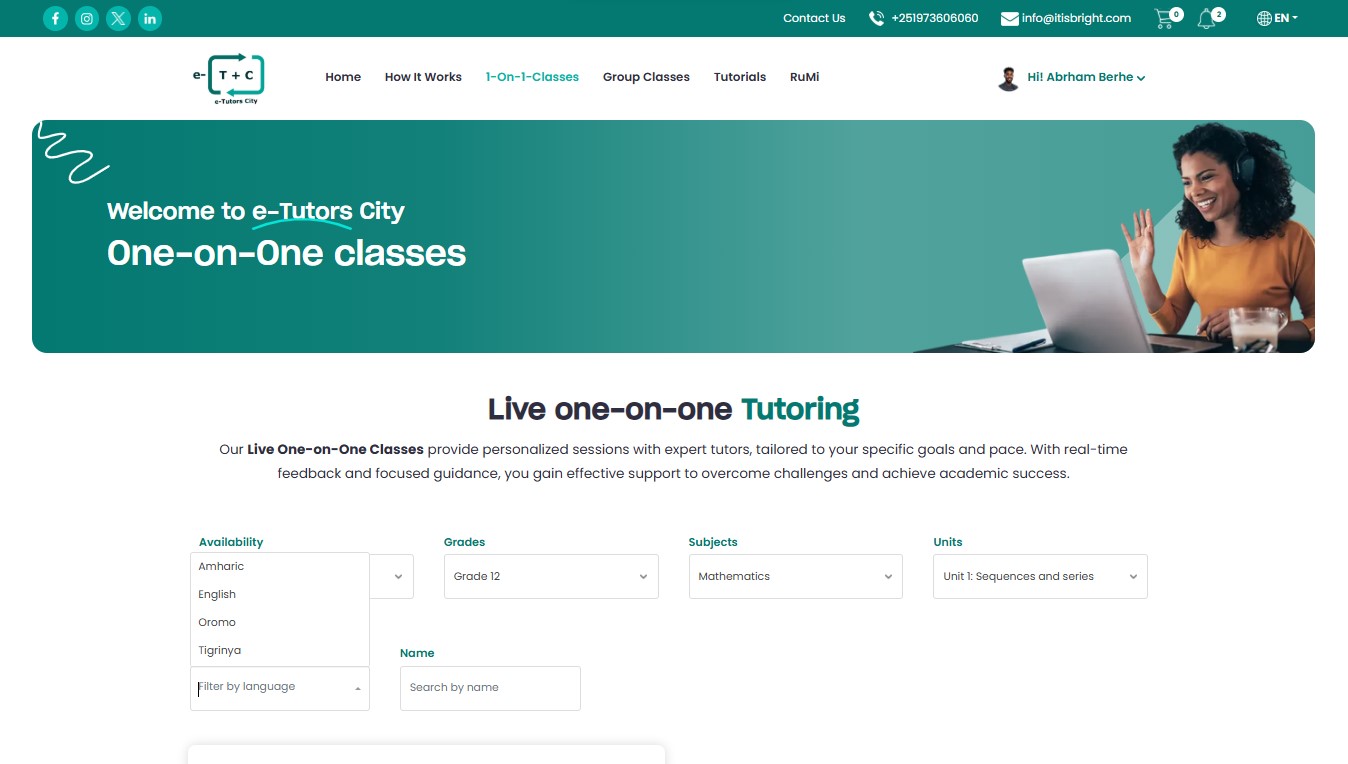
Grade Selection Example
3.2. Understanding the "Types of Classes"
E-Tutors City provides multiple live learning formats to support different student learning styles and educational goals.
Students can access these learning options directly from the home dashboard.
3.2.1. Private Classes (1-on-1)
Private classes are ideal for students who require:
- Personalized tutoring
- Individual academic support
- Flexible scheduling
- Customized lesson plans
- Focused exam preparation
Best For Students who need maximum tutor attention, faster progress tracking, and customized learning experiences.
3.2.2. Group Classes
Group classes provide collaborative learning experiences with small student groups.
Features include:
- Interactive discussions
- Peer collaboration
- Shared learning activities
- Affordable session pricing
- Small class sizes (2–7 students)
Group Learning Advantage Small group sessions help students improve communication, teamwork, and classroom participation skills while maintaining quality instruction.
Class Type Example
Class Type image
3.3. Using the "How It Works" Roadmap
The homepage includes a simple 4-step roadmap that helps students understand how the learning system works from enrollment to course participation.
Step 01 — Choose Your Learning Mode
Select your preferred learning format:
- 1-on-1 Private Class
- Group Class
- Tutorial Videos
- AI Learning Support
Step 02 — Make a Selection
Browse available:
- Tutors
- Subjects
- Courses
- Tutorials
- Learning categories
Students can compare tutor profiles, ratings, subjects, and availability before making a decision.
Step 03 — Confirm Your Booking
Secure your learning session by:
- Selecting a schedule
- Completing payment
- Reserving your class slot
The platform supports secure booking and transaction management.
Step 04 — Start Learning
After booking confirmation, students can:
- Join live classrooms
- Watch tutorials
- Access study materials
- Use AI-powered learning tools
- Track academic progress
How It Works Example
How to work image
3.4. Meet RuMi — Your AI Learning Partner
E-Tutors City includes an AI-powered assistant called RuMi designed to help students learn faster and study smarter.
Students can launch the AI interface directly from the homepage dashboard.
3.4.1. RuMi Features
RuMi can assist students with:
- Homework assistance
- Concept explanations
- Study summaries
- Quiz preparation
- Writing support
- Instant question answering
- Learning recommendations
AI Learning Support RuMi is available anytime, allowing students to receive instant academic assistance even outside scheduled tutoring sessions.
3.4.2. RuMi AI Interface Example
Rumi Image
3.5. Using the Search Bar
The search bar located at the top of the homepage helps students quickly find educational content across the platform.
Students can search for:
- Subjects
- Tutors
- Tutorials
- Courses
- Group classes
- Educational resources
Example Searches
Biology
Information Technology
English
Mathematics
Physics
The search system automatically displays related tutors, tutorials, and available learning sessions.
Search Bar Example
search-bar image
Important Always ensure you select the correct grade level and subject before booking a class to receive the most relevant learning materials and tutor recommendations.