10. Coupons Manager
10.1. Coupons Manager Module
The Coupons Manager is a powerful marketing and promotion tool that enables you to create and manage discount codes. These coupons help attract new students and reward loyal learners, all from a centralized dashboard.
10.2. Managing Coupons
In the main Coupons Manager view, you can monitor and manage your active promotional campaigns:
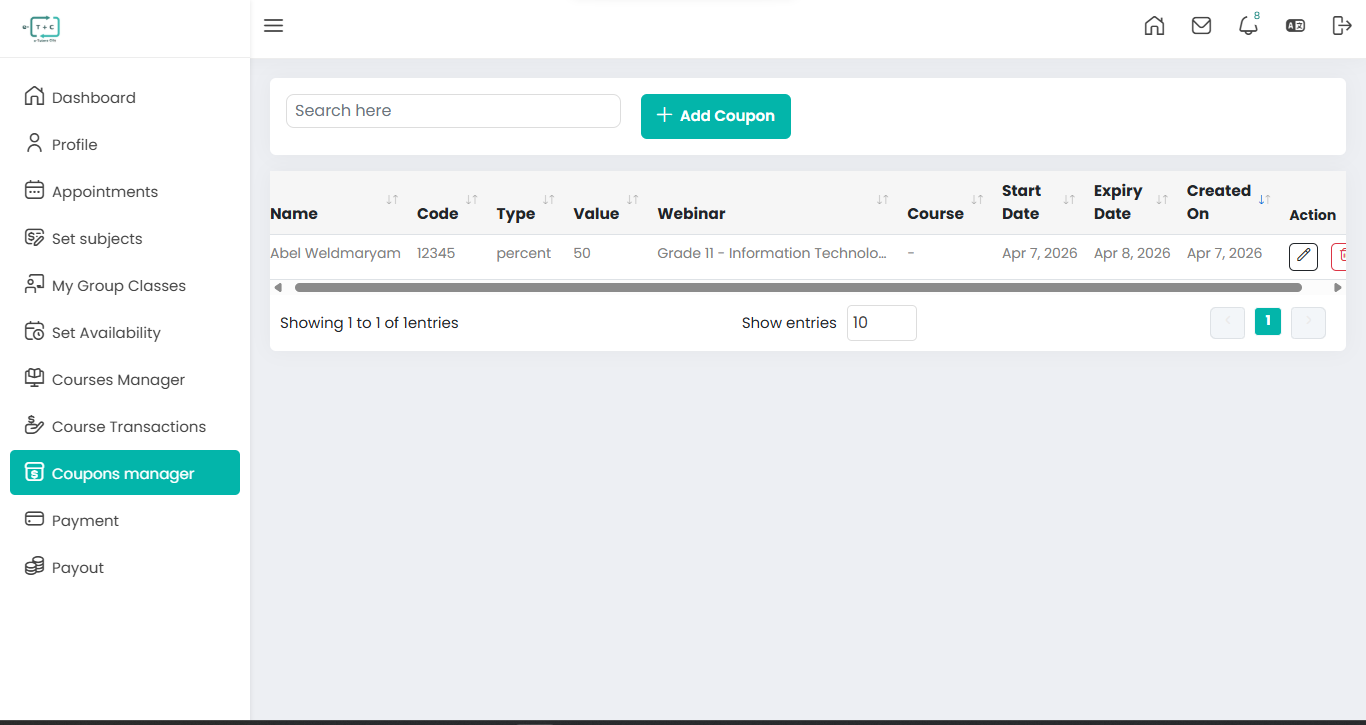
- Coupon Overview: Quickly view the coupon name, unique code, discount type, and discount value.
- Target Tracking: Identify whether a coupon applies to a specific Webinar (Group Class) or a Course.
- Validity Periods: Track Start and Expiry dates to ensure promotions run as scheduled.
- Actions: Use the edit icon to update or modify existing coupon details.
10.2.1. Creating a New Coupon
To create a new promotion, click the + Add Coupon button to open the configuration screen.
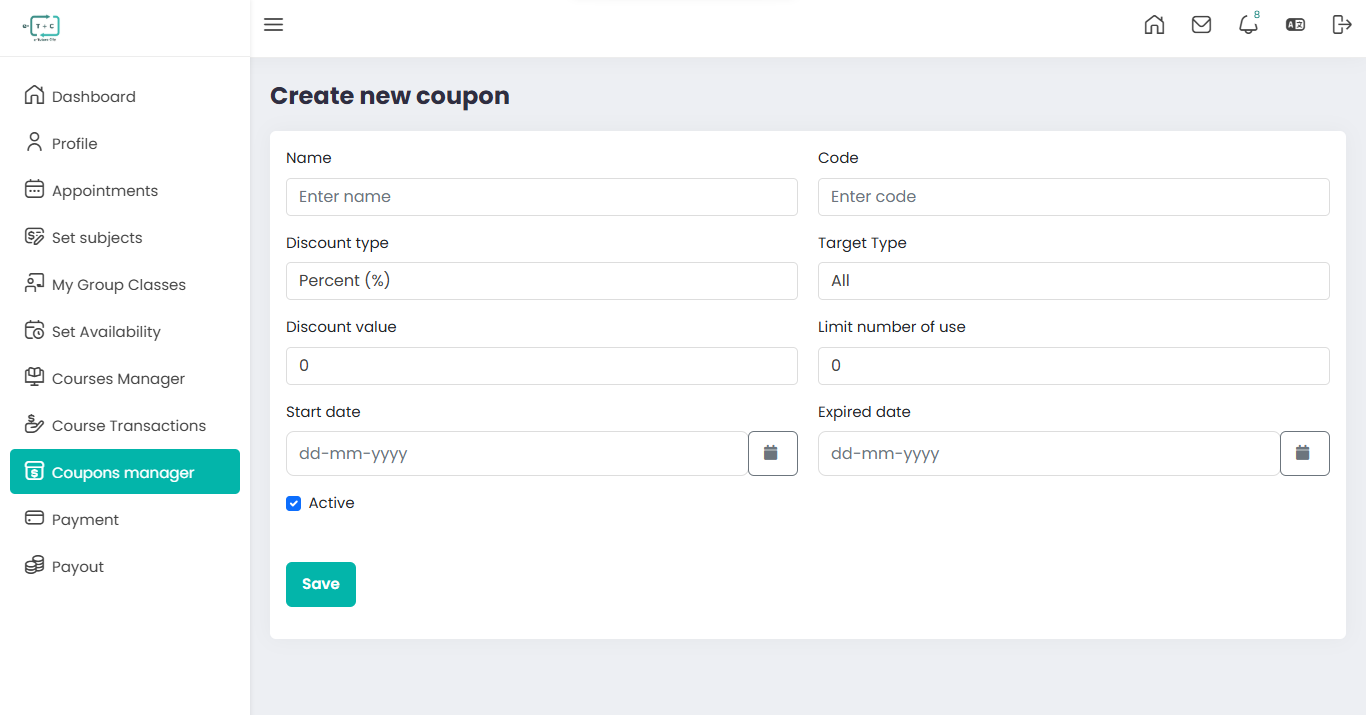
Configuration Fields
-
Name: Internal label for the coupon (e.g., Holiday Special).
-
Code: Unique code that students will enter during checkout.
-
Discount Type: Select either:
- Percentage (%)
- Fixed Amount
-
Target Type: Choose where the coupon applies:
- All – The coupon applies to all available items.
- None – No specific target is assigned.
- Course – The coupon applies only to selected courses.
- Group Class – The coupon applies only to selected group classes.
-
Discount Value: Define the numeric value of the discount.
-
Usage Limit: Set the maximum number of times the coupon can be redeemed.
-
Dates: Configure the promotion timeline:
- Start Date
- Expiry Date
-
Status: Enable the Active checkbox to make the coupon available.
When creating a new coupon, the Target Type field determines which items the coupon will apply to. Based on your selection, the system dynamically updates the available options.